Hooda Math Snow Rider 3D – Play Online for Free: Complete Beginner’s Guide
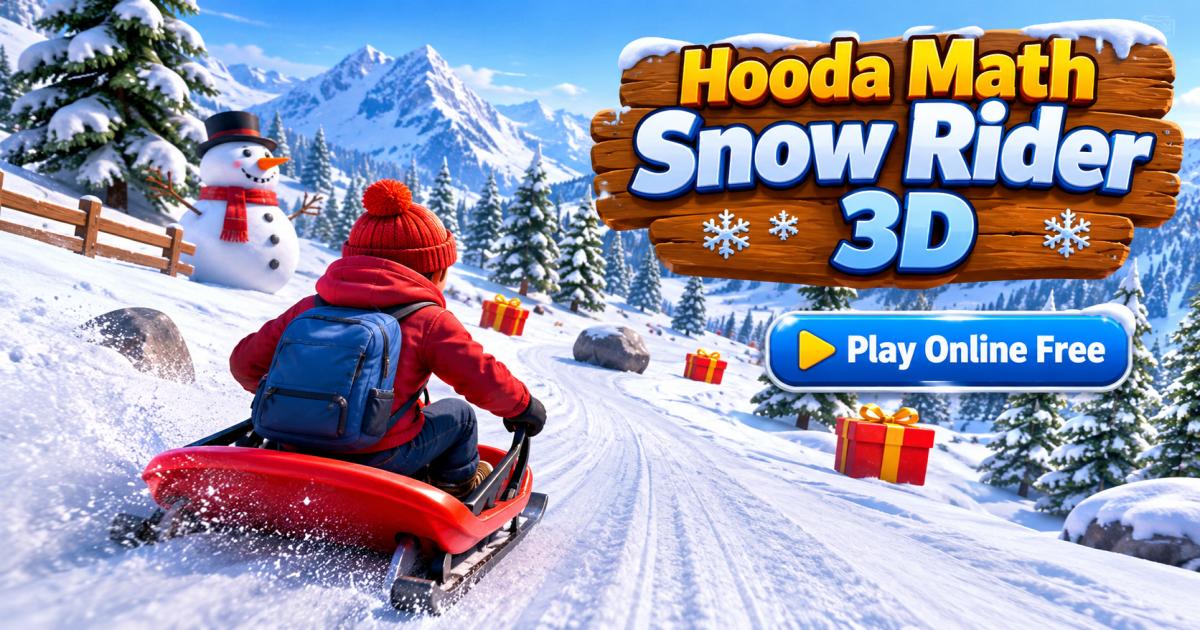
Hooda Math Snow Rider 3D is a free browser game where you steer a sled down an endless snowy hill, dodge trees and rocks, and grab gifts to build a high score. You play it on the Hooda Math website with no download, no account, and no payment. The game has no math questions in it. It is a quick downhill sledding game, and because it has no levels, your only rival is your last run.
This guide shows you how to start, which keys to press, how to avoid early crashes, and how to fix common problems. It also covers how the game compares with other sled games and whether it suits kids.
What is Hooda Math Snow Rider 3D?
Hooda Math Snow Rider 3D is a casual downhill sledding game that the Hooda Math website hosts for free. You guide a sled down a snowy course that keeps going. Along the way you avoid trees, rocks, snowmen, barriers, and gaps in the track, and you pick up gifts when it feels safe. One crash ends the run, and you start again. Gamers call this style an endless runner, and it is why the game fits into a five-minute break.
Hooda Math says it has built its school-friendly game site since 2008 and offers more than 1,000 free games. By its own account, it released Snow Rider 3D in December 2020 as a seasonal brain break, and the game became one of its most played titles. Teachers wrote to say they use it as a reward after tests. That is a typical classroom scene: the class finishes a quiz, and the teacher lets everyone play for a few minutes.
Hooda Math also says Snow Rider 3D is its own original game, and in a post on its newsletter it says it is looking at ways to protect the game from copies. That is Hooda Math’s account. Copies can differ in controls, menus, and ads, so play on the Hooda Math site if you want the version most people mean.
People type the name in many ways. Searches for hooda math snow rider, hooda math snow ride 3d, hooda math snow ride, and hooda math snow rider 3 all lead to the same sled game. A short search like hooda math snow usually brings up a mix of winter games, so the full name saves time.
Some sites claim the game asks math questions or needs Flash Player. Neither claim matches what Hooda Math describes, which is a plain sled run.
How to Play Hooda Math Snow Rider 3D Online for Free
To play Snow Rider 3D online for free, open the Hooda Math website in any modern browser, search for the game, and click play. This typically takes about a minute.
- Open a browser on a computer, laptop, or Chromebook and go to the Hooda Math website.
- Type Snow Rider 3D into the site’s search box and open the game page.
- Click the play button and wait a few seconds while the game loads.
- Click once inside the game window so it reads your keyboard, then start steering.
The game costs nothing. You need no account and nothing to install. Like most free game sites, Hooda Math may show ads near the game window, so click only the game’s own buttons and ignore any prompt to download something.
Students often search for ‘snow rider 3d unblocked’ when a school network blocks games. Hooda Math says its games run on school Chromebooks, but every school sets its own filters. If the page stays blocked, ask your school’s IT team instead of hunting for workarounds.
Hooda Math Snow Rider 3D Gameplay: Rules and Objectives
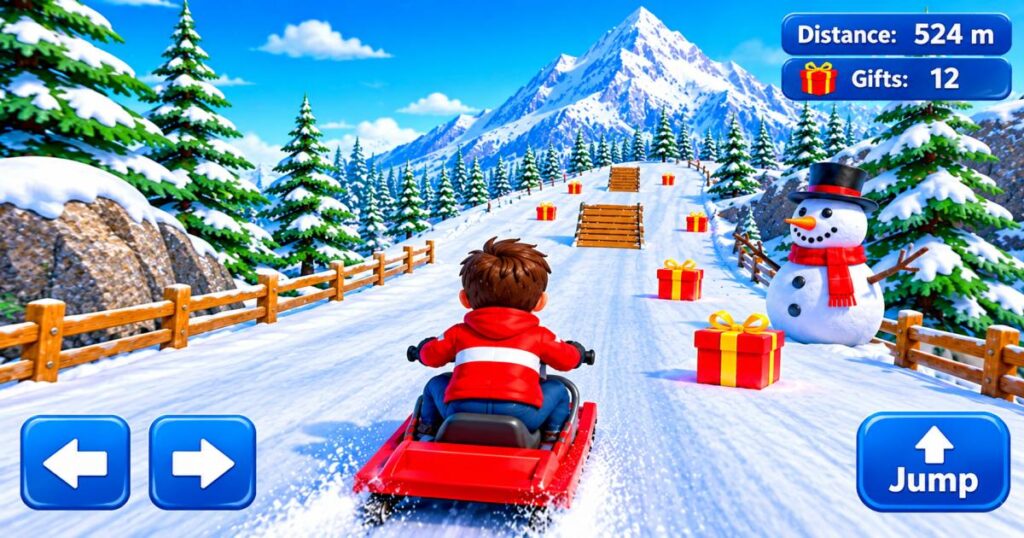
The goal in Hooda Math Snow Rider 3D is to slide as far as you can without crashing while you collect gifts along the way. Survival and distance are what count.
The rules fit in three lines. Hit a solid obstacle or fall into a gap, and the run ends. The course has no levels, no checkpoints, and no finish line. Because of that, your only opponent is your last score.
Pace is the real challenge. A run tends to feel faster the longer you survive, so you get less time to react. Picture a row of trees with one gap on the right. Early in a run, you have time to ease toward the gap. Later, the same row arrives faster, so you must start the same move sooner.
Gifts sit along the track as optional pickups. Some sit in easy spots and some sit beside hazards, so each one is a small bet.
Snow Rider 3D Controls: Keyboard and Mobile Guide
The Snow Rider 3D controls are simple: on a computer, you steer with the left and right arrow keys. Some versions on other sites also accept the A and D keys, so try that pair if the arrows do nothing.
Jumping depends on the version. Some versions give you a jump key, while in others a ramp launches the sled. Read the instructions on the game page before your first run, because controls change from version to version.
On phones and tablets, the Hooda Math page opens in a mobile browser, but the controls depend on your device and the version you load. Google Play also lists a separate Snow Rider 3D app, which uses touch and tilt controls instead of a keyboard. If the keyboard seems dead, click inside the game window once so it can read your keys.
10 Beginner Tips and Tricks to Improve Your Snow Rider 3D Score
These Snow Rider 3D tips cover the habits that separate a one-crash start from a long run.
Learn to Make Small and Smooth Movements
Tap the arrow key instead of holding it. A short tap nudges the sled a little, while a long press sends it sliding across the track. Small taps let you fix your line before a mistake grows.
Watch Ahead for Obstacles
Look at the top of the screen, not at the sled. Experienced players typically read the next few obstacles at once, which gives them time for one calm move instead of a panicked one. For example, if you see a barrier and two trees ahead, plan a path around all three before you reach the first.
Choose Safer Routes When Necessary
When the track narrows, pick the widest opening and commit to it. A wide gap with no gifts beats a narrow one full of them. Staying alive earns you more gifts later anyway.
Collect Gifts Without Taking Unnecessary Risks
Grab gifts that sit on your line and skip the ones next to a rock or a drop. A gift adds a little to your run, but a crash ends it. If a pickup needs a sharp turn, let it go.
Learn When to Jump
In some versions you press a key to jump, and in others a ramp launches you. Either way, think about where you will land before you leave the ground. A jump that clears one obstacle but drops you in front of the next one saves nothing.
Maintain Better Control at Higher Speeds
Speed shrinks your reaction time, so plan your moves earlier and make them smaller. Short, steady taps work better than quick corrections. Keep your eyes far ahead, because close obstacles arrive too fast to dodge.
Practice Timing and Reflexes
Reflexes improve with short, focused sessions. Play five or six runs, then take a break. Tired hands make sloppy turns, and sloppy turns end runs early.
Avoid Sudden Direction Changes
A hard swing left often sends the sled into whatever sits on the left. Make one gentle move, watch where the sled settles, and then adjust. Overcorrecting is a common reason beginners crash.
Understand Common Obstacle Patterns
Layouts start to repeat after a few runs, such as a line of trees with one gap or a barrier that blocks most of the track. Once you know what each shape needs, you react faster and think less.
Practice Regularly to Improve Your High Score
Aim to beat your last run, not a world record. Try this routine: play five runs, note your best, and beat it by a small margin next session. Because the game has no levels, that small gain is the only progress bar you have.
Best Features of Hooda Math Snow Rider 3D
The best features of Hooda Math Snow Rider 3D are its instant start, easy controls, and endless replay.
The Snow Rider 3D game starts fast. You open a page, click play, and slide. There is no account to make and no file to install, which is why it works well on shared school computers.
It is easy to learn and tricky to master. Two arrow keys control everything, yet the rising speed keeps each run tense.
It looks the part, too. The 3D view gives the slope more depth than a flat side-scroller, and Hooda Math says students come back every winter asking for the game.
It also rewards smart risks. Gifts sit beside hazards, so you decide again and again whether a pickup is worth the danger.
Can You Play Hooda Math Snow Rider 3D on Different Devices?
Yes. Hooda Math Snow Rider 3D runs in a web browser, so it works on Windows and Mac computers and on Chromebooks that have a modern browser such as Chrome, Edge, Firefox, or Safari. A keyboard gives the best experience.
Phones and tablets can open the page, but they have no arrow keys, so you need on-screen or touch controls. If none appear, switch your browser to desktop view or try the separate mobile app. Older devices may stutter, because a 3D game asks more from the processor and graphics than a flat 2D game does.
Common Snow Rider 3D Problems and How to Fix Them
Most Snow Rider 3D problems come from the browser, the connection, or a school filter, and a few quick steps fix most of them. Try these in order:
- If the game will not load, refresh the page, check your internet connection, and update your browser. Still stuck? Try a different browser.
- If the keys do nothing, click inside the game window once, and close any other tab or app that might grab the keyboard.
- If the game lags, close other tabs and apps, and switch on hardware acceleration in your browser settings.
- If you hear no sound, check that the tab is not muted and that your device volume is up.
- If a school or work network blocks the page, ask your IT team. Do not try to bypass the filter.
- If touch controls fail on a phone, reload the page, try desktop view, or use the separate app.
If every step fails, clear your browser cache or switch devices. These two fixes usually settle stubborn loading problems.
Hooda Math Snow Rider vs. Other Snow Riding Games
The Hooda Math version stands out for where you play it, while the game itself belongs to the endless-runner family.
What Makes the Hooda Math Version Different?
The main difference is its home. On Hooda Math, the game sits inside a free site built for students, with no sign-up and no downloads. Hooda Math says it made Snow Rider 3D and released it in 2020, while copies elsewhere can differ in controls, sleds, ads, and updates. If you want the version most people mean when they search hooda math snow rider 3d, start on the Hooda Math page.
Snow Rider 3D vs. Other Sledding Games
Sledding and winter games come in two main kinds. Level-based games give you goals, stars, or a finish line. Endless games give you one job: beat your own record. Snow Rider 3D belongs to the second kind and plays more like an endless 3D runner such as Slope than like a level-based racer. That keeps it easy to pick up. It also means the game has no story, no map, and no end, so your last score is the only target.
Who Should Try Snow Rider 3D?
Students who want a short break, casual players who like beating a personal best, and parents who want a simple free game will enjoy it most. Players who want a story, deep upgrades, or real math practice will do better with other games.
Is Hooda Math Snow Rider 3D Good for Kids and Beginners?
Yes, Hooda Math Snow Rider 3D suits most kids and beginners because the controls are simple and the game has no violence. A crash only restarts the run, and you need no account to play.
Parents should still keep a few points in mind. The game is not a math tool, so treat it as a break and not as homework. Free sites can show ads, so sit with younger children for their first session. Fast motion can tire the eyes, so a ten-minute timer is a practical limit. Very young children may find the speed frustrating at first, but most kids with basic keyboard skills typically pick it up within a few runs.
Final Thoughts
Yes, Hooda Math Snow Rider 3D is worth playing if you want a free sledding game you can start in seconds. It does one thing well: it gives you a fast sled run that is easy to learn and tricky to master. It is also simple and repetitive by design, so do not expect a story, levels, or math practice.
New players should start with small taps, look far ahead, and treat gifts as a bonus. Play on the Hooda Math site for the original version, and read the on-page instructions for the exact controls. Because the game has no levels, the real fun is beating your last run. Open the game, take one run, and see how far you get.
FAQs
What Is Hooda Math Snow Rider 3D?
Hooda Math Snow Rider 3D is a free browser game where you steer a sled down an endless snowy hill, avoid obstacles, and collect gifts. You play it on the Hooda Math website with no download or account, and the goal is a higher score.
Is Hooda Math Snow Rider 3D Free to Play?
Yes. You can play Hooda Math Snow Rider 3D in your browser without paying, making an account, or installing anything. The site may show ads around the game, so click only the game’s own buttons.
How Do You Control Snow Rider 3D?
On a computer, press the left and right arrow keys to steer. Some versions also accept A and D, and jumping works through a key or a ramp, depending on the version. Mobile versions typically use touch or tilt controls.
How Do You Collect Gifts in Snow Rider 3D?
Steer your sled over a gift as it comes down the track. Some gifts sit in safe spots and others sit beside hazards, so decide fast whether the risk is worth it. A gift never justifies a crash.
How Can I Unlock More Sleds?
In some versions, gifts work as currency for new sleds. CrazyGames, for example, says collected gifts unlock new sled designs. Versions differ, so check the menu in the game you play, then keep collecting gifts safely across many runs.
Does Snow Rider 3D Have Different Levels?
No. Snow Rider 3D is an endless game with no levels. You slide down one long course, and the only goal is to beat your last distance and gift count.
Why Is Snow Rider 3D Not Working?
Browser or connection trouble causes most problems. Refresh the page, click inside the game window, update your browser, and try another browser if needed. On a school or work network, a filter may block the site, so ask your IT team.
Is Snow Rider 3D Suitable for Children?
For most children, yes. The gameplay is simple and free of violence. It is a fast arcade game, not a learning tool, so parents may want to set a time limit.