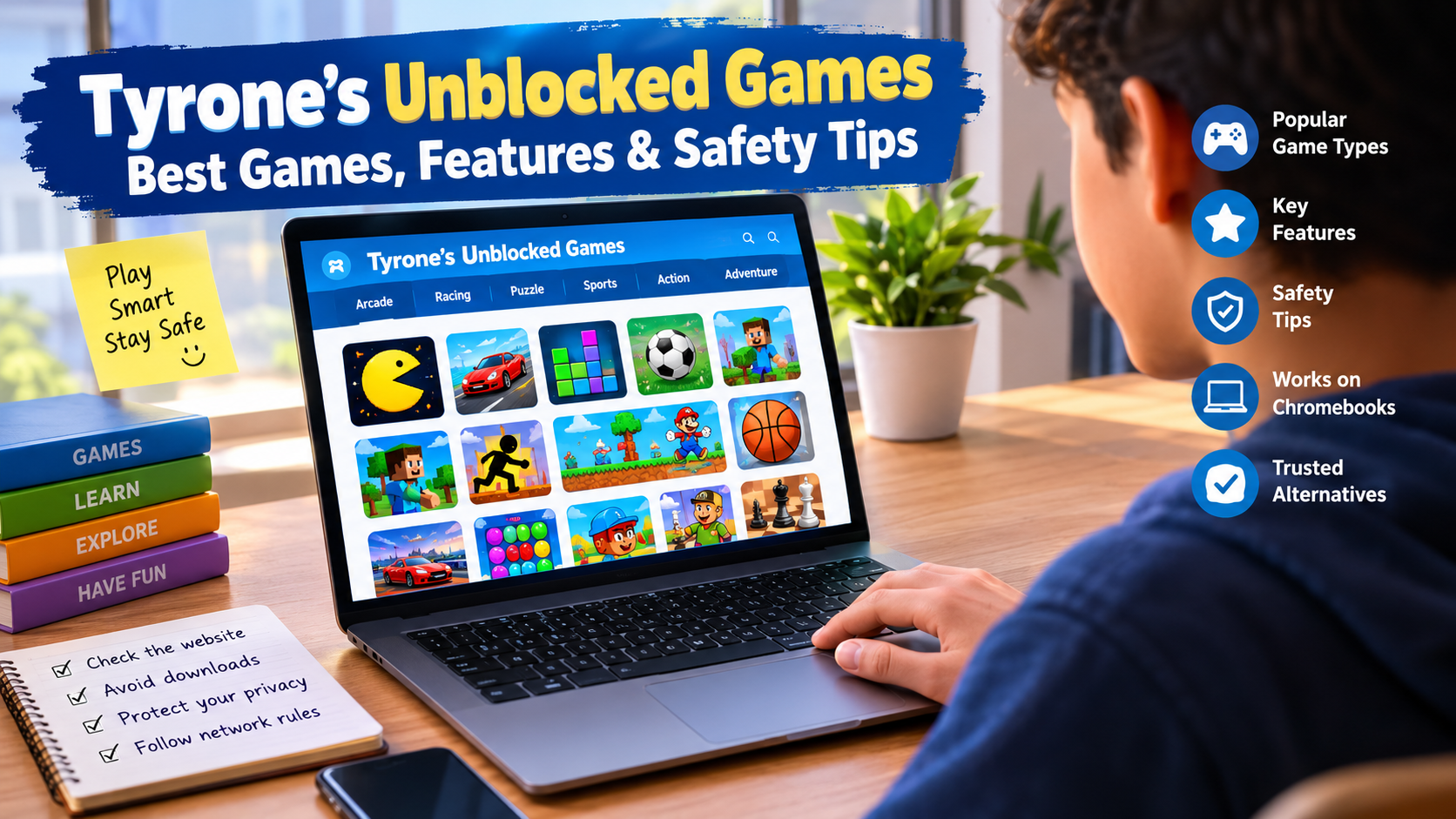
Tyrone’s Unblocked Games: Best Games, Features & Safety Tips
Tyrone’s Unblocked Games is a free website that gathers browser games you can play without downloading anything. Students and office workers use it most, because school and work networks often block big gaming sites. The games cost nothing, but no single, verified official version of the site exists. How safe it is depends on which copy you open.
That last point is the one most guides skip. Search the name, and you will find dozens of near-identical pages and look-alike sites. One page points to one web address, the next points to a different one, and several repeat the same safety claims with no proof. We could not find one confirmed owner or one official home for the brand. So treat ‘Tyrone’s’ as a label for a type of site, not as one trusted company.
This guide keeps things simple. You will learn what the site is, which games people look for most, and which features to expect. You will also get a clear safety checklist, the facts on school and work rules, fixes for common problems, and safer alternatives.
What Is Tyrone’s Unblocked Games?
Tyrone’s unblocked games is a hub of free online games. Most of them are built with HTML5, so they run inside a normal web browser. You don’t install an app. In most cases, you don’t make an account either. So how does it work? You open a page, pick a game, and play.
The word ‘unblocked’ needs a short note. Schools and offices use web filters. A filter can block a whole category, like games, or a list of named sites. Sites that call themselves unblocked try to stay off those lists, often by using new or little-known web addresses. That is why you may see many copies of one site. These copies are called mirror sites.
Who plays? Mostly students on a break, workers at lunch, and anyone on a shared computer where they can’t install software. Browser games are typically small, so they also run on older laptops and basic Chromebooks.
Now the key fact. We found no verified owner for Tyrone’s site. Pages about it list different addresses and repeat claims we could not confirm, such as scanned and free of malware. A claim on someone else’s page is not proof. Keep that in mind as you read the safety section.
Quick Facts
| Detail | What to know |
| Type | Collection of free browser games |
| Cost | Free; ads cover the cost |
| Download needed | Usually no |
| Account needed | Usually no |
| Main tech | HTML5, plus some older Flash-era titles |
| Owner | Not verified |
| Best for | Short, casual play on a break |
Best Games to Play on Tyrone’s Unblocked Games
Game lists change from one copy of the site to the next. The picks below show up often in pages about Tyrone’s unblocked games, so check what your copy actually offers. Outside studios made many of these games, not the site itself.
Best Arcade and Casual Games
Arcade games are the easiest to pick up. A round typically takes a minute or two, and the rules fit in one sentence.
- Slope. You steer a ball down a neon track and dodge red blocks. The speed keeps rising, so one slip ends the run.
- Run 3. You run through space tunnels with gaps in the floor. Good timing matters more than speed.
- Helix Jump. You turn a tower so a bouncing ball drops through the gaps and misses the danger zones.
- Snake.io. This is the old snake idea played online. You grow by eating dots and avoid bigger players.
Best Racing and Driving Games
Driving games reward practice. You learn the track, you fix your mistakes, and your times drop.
- Moto X3M Winter. You ride a bike over snowy ramps and race the clock.
- Drive Mad. You drive a car across odd obstacle courses. Gentle throttle and brake use beats full speed.
- Madalin Stunt Cars. You drive stunt cars around ramps and loops. Some versions add online play.
Best Puzzle and Strategy Games
These games suit players who like to think before they act.
- Tetris. The classic block game. It trains quick thinking and planning, and it rarely gets old.
- Cookie Clicker. First released in 2013, this idle game rewards patience. You click, buy upgrades, and plan how to grow your output.
- BitLife. A text-based life simulator where each choice shapes your story. It includes adult themes, so check that it fits the player’s age.
Best Sports Games
Sports games suit short breaks because a match usually ends in a few minutes.
- Basketball Stars. A fast one-on-one match where shot timing is everything.
- Retro Bowl. A retro-style football game. You play the big moments and manage the team.
- 8 Ball Pool. A simple pool game. Pick your angle, set your power, and take the shot.
Best Multiplayer and Action Games
- 1v1.LOL. You build walls and shoot in a cartoon-style arena.
- Smash Karts. Kart racing with weapons. It is chaotic and good for short rounds.
- Hole.io. You control a hole that swallows objects, and the biggest hole wins.
- Rooftop Snipers. A two-player physics game that two people can share on one keyboard.
Why do some online games stall on certain networks? Many need a live server connection. If the page loads but the game won’t connect, your network may be blocking that connection.
Best Classic and Adventure Games
- Five Nights at Freddy’s. A horror survival game built on cameras, doors, and jump scares. It is not a good fit for younger kids.
- Flash-era classics. Older platformers and puzzle adventures show up on some copies. Many only run through an emulator, and some no longer work at all. You will find more on that in the problems section below.
If you like old-school games, start with the classics. They tend to load fast, and many run fine on weak hardware.
Key Features of Tyrone’s Unblocked Games
Tyrone’s unblocked games typically offer free, no-install browser games in many genres, with quick fullscreen play. Features differ by copy, but sites of this type usually share the same core traits.
- Free to play. You don’t pay to start a game. Ads cover the costs.
- No download. You can play games without downloading anything. They load in the browser tab, and that is the main draw.
- Many genres. Arcade, racing, sports, puzzle, and shooter games often sit on one site.
- Quick sessions. Most games are small and typically start in seconds, which suits short breaks.
- Fullscreen mode. Many games let you expand the window for a cleaner view.
- Simple browsing. Most copies group games by type, and some add a search bar.
- Wide device support. HTML5 games often work on laptops, Chromebooks, and some phones.
- Constant change. Copies move to new addresses and swap games often. That is part of how they stay unblocked.
What don’t you get? Usually cloud saves, customer support, or a named company you can contact. Some games save your progress in the browser, but clearing your browser data can erase it.
How to Find and Play Games on Tyrone’s Unblocked Games
How do you start playing without landing on a bad copy? Follow these steps.
- Search for the site name in your browser. Read the full address before you click. Skip any result with odd spelling, extra words, or strange endings.
- Check the page for basic trust signs. Look for a padlock, a contact page, and a privacy policy. The safety section below has a full checklist.
- Browse by category or use search. Pick a genre, or type a game name if a search bar exists.
- Click the game’s own start button. If a big button shows up before the game loads and says Download or Play now, it may be an ad. Close it.
- Wait for the game to load. Big 3D games can take longer. Don’t refresh too fast.
- Learn the controls. Most games use arrow keys, WASD, the space bar, or the mouse. Check the on-screen help.
- Go fullscreen if you want a bigger view. Use the fullscreen button in the game window.
- Close the tab when you finish. Don’t leave game sites open in the background.
A quick tip: bookmark a page only after you have checked it. A bookmark to a bad copy just makes it easier to go back.
Is Tyrone’s Unblocked Games Safe to Use?
Short answer: there is no yes-or-no answer for the whole name. A browser game typically carries less risk than a program you install, because it runs inside the browser’s own safety limits. But the site around the game can still show harmful ads, fake buttons, and permission prompts. Since Tyrone’s unblocked games has no single verified owner, safety depends on the exact copy you open. Use the checks below every time.
How to Check a Website’s Authenticity
Run through this list before you play.
- Read the full web address. Look for typos, extra hyphens, or odd endings that copy a known name.
- Look for HTTPS. The padlock means your connection is encrypted. It does not mean the site is trustworthy.
- Check who owns the domain. The free ICANN lookup at lookup.icann.org shows basic registration data. A site that claims years of trust but registered its domain a few weeks ago deserves extra care.
- Find a contact page and a privacy policy. Real sites say who runs them and what data they collect.
- Scan the address. Free tools like VirusTotal and Google’s Safe Browsing site status page let you test a URL.
- Search the domain plus words like reviews or scam. Other people’s reports can save you trouble.
- Watch how the site behaves. A clean site lets you start a game without forced prompts, redirects, or downloads.
Remember, a page that says this site is 100% safe proves nothing. Ask for evidence, not promises. That is why we treat the scanned and virus-free claims around Tyrone’s site with care.
Understanding Ads, Pop-Ups, and External Links
Free game sites live on ad money. Normal ads are fine. The trouble starts when ads act like part of the site.
Watch for these signs:
- Fake close buttons that open a new tab.
- Big Download or Play buttons that are really ads.
- Pages that redirect you to a prize, a survey, or a virus warning.
- Game icons that lead to unrelated sites.
Safer habits are simple. Click only the game’s real start button. Close new tabs right away. Never type anything into a pop-up. An ad blocker can help, but school-managed devices often block extensions, and some games detect them.
Protecting Your Privacy While Playing Online
- Don’t share your real name, age, school, address, or photos.
- Skip Sign in with Google or Facebook buttons on game sites.
- Never reuse a password from your email or school account.
- Don’t chat with strangers in multiplayer games, and never share personal details.
- Keep your browser up to date.
One more point for students. School devices are often monitored. The FCC explains that under the Children’s Internet Protection Act, schools that get certain internet discounts must include monitoring of minors’ online activity in their safety policy. So don’t assume your browsing is private on a school computer.
Avoiding Suspicious Downloads and Browser Notifications
Browser games don’t need downloads. That makes the rule easy: if a game site asks you to install something, leave.
Red flags include .exe or .apk files, browser extensions you didn’t ask for, and any update Flash Player message. Adobe ended Flash support on December 31, 2020, so a real Flash update does not exist.
Notification prompts are another common trick. A site can only send you notifications after you click Allow. Scam pages hide that button behind lines like Click Allow to continue or Prove you’re not a robot. Click Block instead.
Already clicked Allow? Here is the fix. In Chrome, open chrome://settings/content/notifications and remove the site. Then run a security scan, and change any password you typed on that site.
Age-Appropriate Gaming and Parental Guidance
Many players are kids and teens. So what should parents watch for?
- Preview the game first. Some games have jump scares, shooting, or adult themes.
- Watch the chat. Online multiplayer lets strangers talk to your child.
- Talk about ads. Teach kids that pop-ups, prizes, and update messages are traps.
- Set limits. Short sessions keep gaming fun and balanced.
- Pick safer sources for young kids. Curated kids’ game sites and official app stores are easier to check than mirror sites.
- Use device controls. Tools like Google Family Link let you manage screen time and apps.
Because no verified owner stands behind the name, no one can promise that every copy filters its content. Parents have to do that check.
Can You Play Tyrone’s Unblocked Games at School or Work?
Sometimes the page will load, but that does not mean you are allowed to play. Whether it works depends on the filter. Whether it is allowed depends on your school’s or employer’s rules. Follow the rules first.
Why Schools and Workplaces Restrict Gaming Websites
There are real reasons behind the blocks.
- The law. In the US, the Children’s Internet Protection Act, passed in 2000 and in effect since 2001, ties certain internet discounts to filtering and a safety policy. The law does not name games. Schools decide what to block.
- Focus. Games pull attention away from class and tasks.
- Bandwidth. Many students streaming games at once can slow the network.
- Security. Ad networks on free game sites can carry malware.
- Work policy. Employers also protect work time and company data.
Chromebook Compatibility and Network Limitations
Will it run on a school Chromebook? HTML5 games usually do, because Chromebooks run Chrome. A few things can still get in the way.
- Admin controls. School-managed Chromebooks follow rules set by the school’s IT team. They can block sites, limit extensions, and restrict accounts.
- Network filters. A filter can block a site by category, so a new address may still be blocked.
- Online games. Multiplayer games need open connections, which networks often limit.
- Weak hardware. Many entry-level Chromebooks have only 4 GB of memory, so 3D games can lag.
- No Flash. Flash games won’t run unless the site uses an emulator.
Following School, Workplace, and Network Policies
- Read your acceptable use policy. It tells you what is allowed.
- Ask first. A teacher or manager can tell you if gaming is okay during breaks.
- Know the risks. Breaking rules can mean lost device access, discipline, or trouble at work.
- Don’t try to get around a filter. Proxies, VPNs, and tricks on a managed network break most policies.
- Play on your own time. Your own device and home network are the safest place for games.
Common Problems With Tyrone’s Unblocked Games
Why a Game Might Not Load
A game usually fails to load because of a network block, a slow connection, or an old browser. Here are the usual causes:
- Your network is blocking the file host for that game.
- Your internet is slow.
- JavaScript is off, or your browser is out of date.
- An extension or ad blocker is getting in the way.
- The copy of the site is down, or the game was removed.
- The game is an old Flash title.
Try these fixes in order: refresh the page, restart the browser, clear the site’s cache, test a different game, and test a different browser if you are allowed to.
How to Troubleshoot Lag and Performance Issues
Lag usually comes from too many open tabs, weak hardware, or a slow connection. Work through these steps in order:
- Close extra tabs and apps.
- Restart the browser or the device.
- Update the browser.
- Plug in the charger and turn off battery saver.
- Move closer to the router, or use a wired connection.
- Turn on hardware acceleration in your browser settings. In Chrome, it sits under Settings, then System.
- Try a lighter game. Some 3D games are heavy for low-end machines.
What to Do When a Game Is Blocked or Unavailable
Don’t hunt for bypass tricks. They break rules, and they lead you straight to the ads and scams covered above. Do this instead:
- Check back later. A copy may have just moved or gone down.
- Ask your IT team if the block looks like a mistake, especially for learning games.
- Play at home on your own network.
- Try an alternative from the list below on a home connection.
Why Some Older Browser Games No Longer Work
Old browser games often stop working because they ran on Adobe Flash, and Flash is gone. Adobe ended support on December 31, 2020, and began blocking Flash content on January 12, 2021. Browsers then removed it.
Some sites now use Ruffle, a free, open-source emulator, to run old Flash games. It works for many titles but not all. Some games also rely on old servers that no longer exist. Never install a Flash Player file from a game site. That is a common way to spread malware.
Tyrone’s Unblocked Games Alternatives
If you want safe unblocked game sites, look for ones with a named owner, a privacy policy, and a contact page. These well-known options meet that bar more often than mirror sites do. Check each site’s own pages to confirm.
| Site | Known for | Good to know |
| Poki | A large mix of casual and .io-style games | Ad-supported, so watch the ads |
| CrazyGames | A big catalog with many multiplayer picks | Online play may be blocked on school networks |
| Coolmath Games | Puzzle, logic, and skill games | Popular with students, but can still be blocked |
| Y8 | A long-running portal with many genres | Large catalog, so quality varies |
| Newgrounds | Indie and community-made games | Some content is for mature audiences |
| itch.io | Indie games, including many free browser titles | Check age notes on each creator’s page |
Any of these can also be blocked at school or work, and the same rules apply. For the safest play, go to the game maker’s own site or an official app store. Those sources have a real owner you can check.
How We Evaluate Games and Website Safety
We use clear rules, so you can see how we reached our views.
How we judge a game
- Does it run in the browser with no install?
- Are the controls easy to learn?
- Can you finish a round in a few minutes?
- Does it suit the age group, based on its themes and chat features?
- Does it run on low-end devices like basic Chromebooks?
How we judge a website
- Is the owner named, and can that claim be checked?
- How old is the domain, and does it match the site’s story?
- Does it use HTTPS and show a contact page and privacy policy?
- Do ads, pop-ups, and redirects stay out of the way?
- Does it ever ask for downloads, extensions, or notification access?
- Do different copies of the site match each other?
Where our facts come from. We compared public pages about Tyrone’s unblocked games and flagged claims that conflicted or had no proof. For rules and tech facts, we used official or primary sources: the FCC’s guidance on the Children’s Internet Protection Act, Adobe’s Flash end date, and how browser notification permissions work.
What we can’t tell you. We could not confirm who runs the site, and we do not call any copy safe or unsafe. Game lists change often, so confirm what your copy offers. This guide was last reviewed in October 2026.
Final Thoughts
Tyrone’s unblocked games give you free, quick, no-install fun, and that is why people search for it. But the name does not point to one verified, trusted site. It points to a group of look-alike copies, and each one has to earn your trust.
Keep three rules in mind. Check the address and the site’s basic details before you play. Never download files or click Allow on a prompt. And follow your school’s or employer’s rules, because a page that loads is not the same as a page you may use.
If you want fewer worries, pick a site with a named owner, or go straight to the game maker. Two minutes of checks beat an hour of cleaning up one bad click.
FAQs
Is Tyrone’s Unblocked Games free?
Yes, Tyrone’s unblocked games are free to play. Sites of this type make money from ads, not from player fees. Ignore any copy that asks for payment or pushes a fake premium offer.
Do you need to download anything to play?
No. You can play these browser games in a normal tab, with no installer. A prompt to install a file, an app, or an extension is a red flag. Close the page and click nothing else.
Does Tyrone’s Unblocked Games work on Chromebooks?
Yes, usually. HTML5 games run in Chrome on most Chromebooks. School-managed devices may block the site, entry-level models can lag on 3D games, and Flash-era games won’t run without an emulator.
Can you play Tyrone’s Unblocked Games on a phone?
Often yes, if the game supports touch. Many games were built for a keyboard, so the controls can feel awkward on a small screen. Landscape mode usually helps, but games that need fast key presses may not suit a phone at all.
Is Tyrone’s Unblocked Games safe for kids?
Not automatically. Because no verified owner stands behind the name, safety depends on the copy, its ads, and the game itself. Some games have scary or mature content, and online chat can reach strangers. Parents should preview games and set limits.
Why is Tyrone’s Unblocked Games not working?
Usually one of six things is to blame: the copy moved or went down, a network filter blocks it, your internet is slow, your browser is old, an extension is interfering, or the game relies on Flash. Work through the fixes above. Never download a fix from the site.
Are all games available on every version of the website?
No. Each copy runs its own game list. Games get added, dropped, or broken as copies change, so the list you see may not match the one in someone else’s guide.Tyrone’s Unblocked Games is a free website that gathers browser games you can play without downloading anything. Students and office workers use it most, because school and work networks often block big gaming sites. The games cost nothing, but no single, verified official version of the site exists. How safe it is depends on which copy you open.
That last point is the one most guides skip. Search the name, and you will find dozens of near-identical pages and look-alike sites. One page points to one web address, the next points to a different one, and several repeat the same safety claims with no proof. We could not find one confirmed owner or one official home for the brand. So treat ‘Tyrone’s’ as a label for a type of site, not as one trusted company.
This guide keeps things simple. You will learn what the site is, which games people look for most, and which features to expect. You will also get a clear safety checklist, the facts on school and work rules, fixes for common problems, and safer alternatives.
What Is Tyrone’s Unblocked Games?
Tyrone’s unblocked games is a hub of free online games. Most of them are built with HTML5, so they run inside a normal web browser. You don’t install an app. In most cases, you don’t make an account either. So how does it work? You open a page, pick a game, and play.
The word ‘unblocked’ needs a short note. Schools and offices use web filters. A filter can block a whole category, like games, or a list of named sites. Sites that call themselves unblocked try to stay off those lists, often by using new or little-known web addresses. That is why you may see many copies of one site. These copies are called mirror sites.
Who plays? Mostly students on a break, workers at lunch, and anyone on a shared computer where they can’t install software. Browser games are typically small, so they also run on older laptops and basic Chromebooks.
Now the key fact. We found no verified owner for Tyrone’s site. Pages about it list different addresses and repeat claims we could not confirm, such as scanned and free of malware. A claim on someone else’s page is not proof. Keep that in mind as you read the safety section.
Quick Facts
| Detail | What to know |
| Type | Collection of free browser games |
| Cost | Free; ads cover the cost |
| Download needed | Usually no |
| Account needed | Usually no |
| Main tech | HTML5, plus some older Flash-era titles |
| Owner | Not verified |
| Best for | Short, casual play on a break |
Best Games to Play on Tyrone’s Unblocked Games
Game lists change from one copy of the site to the next. The picks below show up often in pages about Tyrone’s unblocked games, so check what your copy actually offers. Outside studios made many of these games, not the site itself.
Best Arcade and Casual Games
Arcade games are the easiest to pick up. A round typically takes a minute or two, and the rules fit in one sentence.
- Slope. You steer a ball down a neon track and dodge red blocks. The speed keeps rising, so one slip ends the run.
- Run 3. You run through space tunnels with gaps in the floor. Good timing matters more than speed.
- Helix Jump. You turn a tower so a bouncing ball drops through the gaps and misses the danger zones.
- Snake.io. This is the old snake idea played online. You grow by eating dots and avoid bigger players.
Best Racing and Driving Games
Driving games reward practice. You learn the track, you fix your mistakes, and your times drop.
- Moto X3M Winter. You ride a bike over snowy ramps and race the clock.
- Drive Mad. You drive a car across odd obstacle courses. Gentle throttle and brake use beats full speed.
- Madalin Stunt Cars. You drive stunt cars around ramps and loops. Some versions add online play.
Best Puzzle and Strategy Games
These games suit players who like to think before they act.
- Tetris. The classic block game. It trains quick thinking and planning, and it rarely gets old.
- Cookie Clicker. First released in 2013, this idle game rewards patience. You click, buy upgrades, and plan how to grow your output.
- BitLife. A text-based life simulator where each choice shapes your story. It includes adult themes, so check that it fits the player’s age.
Best Sports Games
Sports games suit short breaks because a match usually ends in a few minutes.
- Basketball Stars. A fast one-on-one match where shot timing is everything.
- Retro Bowl. A retro-style football game. You play the big moments and manage the team.
- 8 Ball Pool. A simple pool game. Pick your angle, set your power, and take the shot.
Best Multiplayer and Action Games
- 1v1.LOL. You build walls and shoot in a cartoon-style arena.
- Smash Karts. Kart racing with weapons. It is chaotic and good for short rounds.
- Hole.io. You control a hole that swallows objects, and the biggest hole wins.
- Rooftop Snipers. A two-player physics game that two people can share on one keyboard.
Why do some online games stall on certain networks? Many need a live server connection. If the page loads but the game won’t connect, your network may be blocking that connection.
Best Classic and Adventure Games
- Five Nights at Freddy’s. A horror survival game built on cameras, doors, and jump scares. It is not a good fit for younger kids.
- Flash-era classics. Older platformers and puzzle adventures show up on some copies. Many only run through an emulator, and some no longer work at all. You will find more on that in the problems section below.
If you like old-school games, start with the classics. They tend to load fast, and many run fine on weak hardware.
Key Features of Tyrone’s Unblocked Games
Tyrone’s unblocked games typically offer free, no-install browser games in many genres, with quick fullscreen play. Features differ by copy, but sites of this type usually share the same core traits.
- Free to play. You don’t pay to start a game. Ads cover the costs.
- No download. You can play games without downloading anything. They load in the browser tab, and that is the main draw.
- Many genres. Arcade, racing, sports, puzzle, and shooter games often sit on one site.
- Quick sessions. Most games are small and typically start in seconds, which suits short breaks.
- Fullscreen mode. Many games let you expand the window for a cleaner view.
- Simple browsing. Most copies group games by type, and some add a search bar.
- Wide device support. HTML5 games often work on laptops, Chromebooks, and some phones.
- Constant change. Copies move to new addresses and swap games often. That is part of how they stay unblocked.
What don’t you get? Usually cloud saves, customer support, or a named company you can contact. Some games save your progress in the browser, but clearing your browser data can erase it.
How to Find and Play Games on Tyrone’s Unblocked Games
How do you start playing without landing on a bad copy? Follow these steps.
- Search for the site name in your browser: Read the full address before you click. Skip any result with odd spelling, extra words, or strange endings.
- Check the page for basic trust signs: Look for a padlock, a contact page, and a privacy policy. The safety section below has a full checklist.
- Browse by category or use search: Pick a genre, or type a game name if a search bar exists.
- Click the game’s own start button: If a big button shows up before the game loads and says Download or Play now, it may be an ad. Close it.
- Wait for the game to load: Big 3D games can take longer. Don’t refresh too fast.
- Learn the controls: Most games use arrow keys, WASD, the space bar, or the mouse. Check the on-screen help.
- Go fullscreen if you want a bigger view: Use the fullscreen button in the game window.
- Close the tab when you finish: Don’t leave game sites open in the background.
A quick tip: bookmark a page only after you have checked it. A bookmark to a bad copy just makes it easier to go back.
Is Tyrone’s Unblocked Games Safe to Use?
Short answer: there is no yes-or-no answer for the whole name. A browser game typically carries less risk than a program you install, because it runs inside the browser’s own safety limits. But the site around the game can still show harmful ads, fake buttons, and permission prompts. Since Tyrone’s unblocked games has no single verified owner, safety depends on the exact copy you open. Use the checks below every time.
How to Check a Website’s Authenticity
Run through this list before you play.
- Read the full web address: Look for typos, extra hyphens, or odd endings that copy a known name.
- Look for HTTPS: The padlock means your connection is encrypted. It does not mean the site is trustworthy.
- Check who owns the domain: The free ICANN lookup at lookup.icann.org shows basic registration data. A site that claims years of trust but registered its domain a few weeks ago deserves extra care.
- Find a contact page and a privacy policy: Real sites say who runs them and what data they collect.
- Scan the address: Free tools like VirusTotal and Google’s Safe Browsing site status page let you test a URL.
- Search the domain plus words like reviews or scam: Other people’s reports can save you trouble.
- Watch how the site behaves: A clean site lets you start a game without forced prompts, redirects, or downloads.
Remember, a page that says this site is 100% safe proves nothing. Ask for evidence, not promises. That is why we treat the scanned and virus-free claims around Tyrone’s site with care.
Understanding Ads, Pop-Ups, and External Links
Free game sites live on ad money. Normal ads are fine. The trouble starts when ads act like part of the site.
Watch for these signs:
- Fake close buttons that open a new tab.
- Big Download or Play buttons that are really ads.
- Pages that redirect you to a prize, a survey, or a virus warning.
- Game icons that lead to unrelated sites.
Safer habits are simple. Click only the game’s real start button. Close new tabs right away. Never type anything into a pop-up. An ad blocker can help, but school-managed devices often block extensions, and some games detect them.
Protecting Your Privacy While Playing Online
- Don’t share your real name, age, school, address, or photos.
- Skip Sign in with Google or Facebook buttons on game sites.
- Never reuse a password from your email or school account.
- Don’t chat with strangers in multiplayer games, and never share personal details.
- Keep your browser up to date.
One more point for students. School devices are often monitored. The FCC explains that under the Children’s Internet Protection Act, schools that get certain internet discounts must include monitoring of minors’ online activity in their safety policy. So don’t assume your browsing is private on a school computer.
Avoiding Suspicious Downloads and Browser Notifications
Browser games don’t need downloads. That makes the rule easy: if a game site asks you to install something, leave.
Red flags include .exe or .apk files, browser extensions you didn’t ask for, and any update Flash Player message. Adobe ended Flash support on December 31, 2020, so a real Flash update does not exist.
Notification prompts are another common trick. A site can only send you notifications after you click Allow. Scam pages hide that button behind lines like Click Allow to continue or Prove you’re not a robot. Click Block instead.
Already clicked Allow? Here is the fix. In Chrome, open chrome://settings/content/notifications and remove the site. Then run a security scan, and change any password you typed on that site.
Age-Appropriate Gaming and Parental Guidance
Many players are kids and teens. So what should parents watch for?
- Preview the game first: Some games have jump scares, shooting, or adult themes.
- Watch the chat: Online multiplayer lets strangers talk to your child.
- Talk about ads: Teach kids that pop-ups, prizes, and update messages are traps.
- Set limits. Short sessions keep gaming fun and balanced.
- Pick safer sources for young kids: Curated kids’ game sites and official app stores are easier to check than mirror sites.
- Use device controls: Tools like Google Family Link let you manage screen time and apps.
Because no verified owner stands behind the name, no one can promise that every copy filters its content. Parents have to do that check.
Can You Play Tyrone’s Unblocked Games at School or Work?
Sometimes the page will load, but that does not mean you are allowed to play. Whether it works depends on the filter. Whether it is allowed depends on your school’s or employer’s rules. Follow the rules first.
Why Schools and Workplaces Restrict Gaming Websites
There are real reasons behind the blocks.
- The law. In the US, the Children’s Internet Protection Act, passed in 2000 and in effect since 2001, ties certain internet discounts to filtering and a safety policy. The law does not name games. Schools decide what to block.
- Focus. Games pull attention away from class and tasks.
- Bandwidth. Many students streaming games at once can slow the network.
- Security. Ad networks on free game sites can carry malware.
- Work policy. Employers also protect work time and company data.
Chromebook Compatibility and Network Limitations
Will it run on a school Chromebook? HTML5 games usually do, because Chromebooks run Chrome. A few things can still get in the way.
- Admin controls: School-managed Chromebooks follow rules set by the school’s IT team. They can block sites, limit extensions, and restrict accounts.
- Network filters: A filter can block a site by category, so a new address may still be blocked.
- Online games: Multiplayer games need open connections, which networks often limit.
- Weak hardware: Many entry-level Chromebooks have only 4 GB of memory, so 3D games can lag.
- No Flash: Flash games won’t run unless the site uses an emulator.
Following School, Workplace, and Network Policies
- Read your acceptable use policy. It tells you what is allowed.
- Ask first. A teacher or manager can tell you if gaming is okay during breaks.
- Know the risks. Breaking rules can mean lost device access, discipline, or trouble at work.
- Don’t try to get around a filter. Proxies, VPNs, and tricks on a managed network break most policies.
- Play on your own time. Your own device and home network are the safest place for games.
Common Problems With Tyrone’s Unblocked Games
Why a Game Might Not Load
A game usually fails to load because of a network block, a slow connection, or an old browser. Here are the usual causes:
- Your network is blocking the file host for that game.
- Your internet is slow.
- JavaScript is off, or your browser is out of date.
- An extension or ad blocker is getting in the way.
- The copy of the site is down, or the game was removed.
- The game is an old Flash title.
Try these fixes in order: refresh the page, restart the browser, clear the site’s cache, test a different game, and test a different browser if you are allowed to.
How to Troubleshoot Lag and Performance Issues
Lag usually comes from too many open tabs, weak hardware, or a slow connection. Work through these steps in order:
- Close extra tabs and apps.
- Restart the browser or the device.
- Update the browser.
- Plug in the charger and turn off battery saver.
- Move closer to the router, or use a wired connection.
- Turn on hardware acceleration in your browser settings. In Chrome, it sits under Settings, then System.
- Try a lighter game. Some 3D games are heavy for low-end machines.
What to Do When a Game Is Blocked or Unavailable
Don’t hunt for bypass tricks. They break rules, and they lead you straight to the ads and scams covered above. Do this instead:
- Check back later. A copy may have just moved or gone down.
- Ask your IT team if the block looks like a mistake, especially for learning games.
- Play at home on your own network.
- Try an alternative from the list below on a home connection.
Why Some Older Browser Games No Longer Work
Old browser games often stop working because they ran on Adobe Flash, and Flash is gone. Adobe ended support on December 31, 2020, and began blocking Flash content on January 12, 2021. Browsers then removed it.
Some sites now use Ruffle, a free, open-source emulator, to run old Flash games. It works for many titles but not all. Some games also rely on old servers that no longer exist. Never install a Flash Player file from a game site. That is a common way to spread malware.
Tyrone’s Unblocked Games Alternatives
If you want safe unblocked game sites, look for ones with a named owner, a privacy policy, and a contact page. These well-known options meet that bar more often than mirror sites do. Check each site’s own pages to confirm.
| Site | Known for | Good to know |
| Poki | A large mix of casual and .io-style games | Ad-supported, so watch the ads |
| CrazyGames | A big catalog with many multiplayer picks | Online play may be blocked on school networks |
| Coolmath Games | Puzzle, logic, and skill games | Popular with students, but can still be blocked |
| Y8 | A long-running portal with many genres | Large catalog, so quality varies |
| Newgrounds | Indie and community-made games | Some content is for mature audiences |
| itch.io | Indie games, including many free browser titles | Check age notes on each creator’s page |
Any of these can also be blocked at school or work, and the same rules apply. For the safest play, go to the game maker’s own site or an official app store. Those sources have a real owner you can check.
How We Evaluate Games and Website Safety
We use clear rules, so you can see how we reached our views.
How we judge a game
- Does it run in the browser with no install?
- Are the controls easy to learn?
- Can you finish a round in a few minutes?
- Does it suit the age group, based on its themes and chat features?
- Does it run on low-end devices like basic Chromebooks?
How we judge a website
- Is the owner named, and can that claim be checked?
- How old is the domain, and does it match the site’s story?
- Does it use HTTPS and show a contact page and privacy policy?
- Do ads, pop-ups, and redirects stay out of the way?
- Does it ever ask for downloads, extensions, or notification access?
- Do different copies of the site match each other?
Where our facts come from. We compared public pages about Tyrone’s unblocked games and flagged claims that conflicted or had no proof. For rules and tech facts, we used official or primary sources: the FCC’s guidance on the Children’s Internet Protection Act, Adobe’s Flash end date, and how browser notification permissions work.
What we can’t tell you. We could not confirm who runs the site, and we do not call any copy safe or unsafe. Game lists change often, so confirm what your copy offers. This guide was last reviewed in October 2026.
Final Thoughts
Tyrone’s unblocked games give you free, quick, no-install fun, and that is why people search for it. But the name does not point to one verified, trusted site. It points to a group of look-alike copies, and each one has to earn your trust.
Keep three rules in mind. Check the address and the site’s basic details before you play. Never download files or click Allow on a prompt. And follow your school’s or employer’s rules, because a page that loads is not the same as a page you may use.
If you want fewer worries, pick a site with a named owner, or go straight to the game maker. Two minutes of checks beat an hour of cleaning up one bad click.
FAQs
Is Tyrone’s Unblocked Games free?
Yes, Tyrone’s unblocked games are free to play. Sites of this type make money from ads, not from player fees. Ignore any copy that asks for payment or pushes a fake premium offer.
Do you need to download anything to play?
No. You can play these browser games in a normal tab, with no installer. A prompt to install a file, an app, or an extension is a red flag. Close the page and click nothing else.
Does Tyrone’s Unblocked Games work on Chromebooks?
Yes, usually. HTML5 games run in Chrome on most Chromebooks. School-managed devices may block the site, entry-level models can lag on 3D games, and Flash-era games won’t run without an emulator.
Can you play Tyrone’s Unblocked Games on a phone?
Often yes, if the game supports touch. Many games were built for a keyboard, so the controls can feel awkward on a small screen. Landscape mode usually helps, but games that need fast key presses may not suit a phone at all.
Is Tyrone’s Unblocked Games safe for kids?
Not automatically. Because no verified owner stands behind the name, safety depends on the copy, its ads, and the game itself. Some games have scary or mature content, and online chat can reach strangers. Parents should preview games and set limits.
Why is Tyrone’s Unblocked Games not working?
Usually one of six things is to blame: the copy moved or went down, a network filter blocks it, your internet is slow, your browser is old, an extension is interfering, or the game relies on Flash. Work through the fixes above. Never download a fix from the site.
Are all games available on every version of the website?
No. Each copy runs its own game list. Games get added, dropped, or broken as copies change, so the list you see may not match the one in someone else’s guide.