Marvel Rivals Cross Progression: Full Guide for 2026
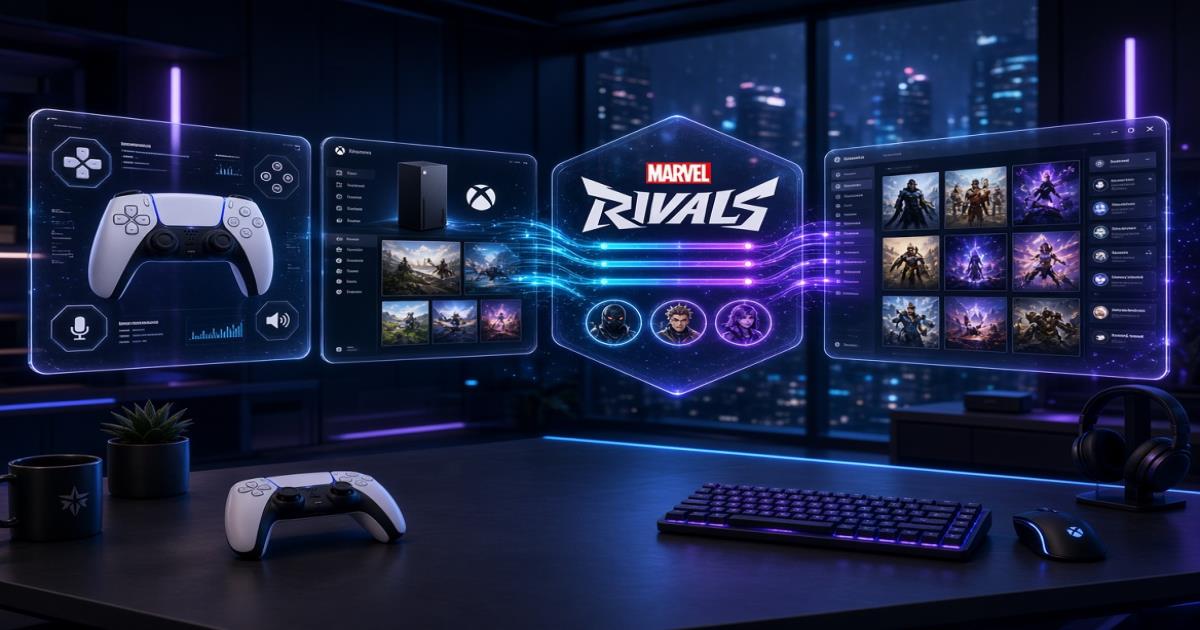
Marvel Rivals cross progression is live in 2026. You can link your platform accounts and play the same primary character on any supported device. Your heroes, most cosmetics, battle pass progress, and paid content stay with that character instead of staying locked to one platform.
Players who started on PC and later picked up a console (or the other way around) no longer need separate collections. The system uses account linking plus a clear primary-character choice. This guide walks through every step, every limit, and every common problem so you can set it up once and keep moving between platforms.
Does Marvel Rivals Have Cross Progression in 2026?
Yes. Marvel Rivals cross-progression is fully available. NetEase opened the feature after a limited test and made account linking permanent. Once you connect your accounts inside the game, you log in on any supported platform and load the same primary character.
Before the update, each platform kept its own separate character. Progress, skins, and purchases stayed on the device where you first played. The current system changes that by linking the accounts and letting you pick one character as primary.
Crossplay and cross-progression are two different concepts. Crossplay lets you join matches with players on other platforms. Cross-progression keeps your progress when you switch platforms. The game offers both, but they solve different problems.
How Marvel Rivals Cross Progression Works
The system rests on two ideas: platform account linking and a primary character.
You link the accounts first. Each platform account originally owns one character. After linking, the accounts connect. If multiple characters exist, the game asks you to choose one as primary. From that point on, every linked login loads that primary character.
Progress, collections, and paid content live on the character itself. That is why the primary choice matters. Unselected characters stay stored. They do not vanish. You can switch the primary later or restore them by unlinking. Character data never merges. If one character holds better skins and another holds stronger rank history, linking does not combine them. You pick one and use that one everywhere.
This keeps the system simple and avoids accidental data loss, but it also means you should decide carefully before you confirm.
Which Platforms Support Marvel Rivals Cross Progression?
Marvel Rivals cross progression works on five platforms:
- Steam
- Epic Games Store
- Loading Bay (NetEase official launcher)
- PlayStation
- Xbox
You can link any mix of these. Common setups include Steam to PlayStation, Epic to Xbox, Loading Bay to console, or full multi-platform links.
PC-to-console progression works once the accounts are linked and a primary character is set. The same rule applies to PC-to-PC links (Steam ↔ Epic ↔ Loading Bay) and console-to-console (PlayStation ↔ Xbox). Ranked matchmaking still follows device-based rules, but the character itself travels with you.
How to Set Up Marvel Rivals Cross Progression
Everything happens inside the game. Follow these steps in order.
Step 1: Open Marvel Rivals Settings
Launch the game on the platform you use most. From the main screen open Settings.
Step 2: Find Account Binding
Go to the Other tab. Scroll until you see Account, Account Binding, or Account Linking.
Step 3: Choose the Platform to Link
Select a platform different from the one you are currently logged into. Options include Steam, Epic, Loading Bay, PlayStation, or Xbox.
Step 4: Verify the Platform Account
Complete the verification for the second platform. A browser window or QR code usually appears. Log in with the correct credentials. For PlayStation, make sure the official website account is either already linked or fully logged out. Otherwise the system may grab the wrong PSN account.
Step 5: Select Your Primary Character
If the accounts already have separate characters, choose the one that holds the progress and cosmetics you want to keep using. Unselected characters stay stored but stay inactive.
Step 6: Confirm the Account Link
Review the confirmation screen and confirm. The link becomes active. You can now log in on any linked platform and load the primary character.
After linking, log in on each platform you plan to use and confirm the primary character appears with the expected items. Also re-check Discord or Twitch connections if you use them, because those do not update automatically.
What Progress Carries Over in Marvel Rivals?
Once accounts are linked and a primary character is set, these items travel with that character:
- Character progress and unlocks
- Collections and most cosmetics
- Paid content tied to the character
- Battle pass progress and related rewards
- Other progression stored on the character
Log in on every linked platform after setup and verify the hero roster, skin inventory, and battle pass status.
What Does Not Carry Over?
Several items stay separate or limited:
- Platform-specific rank and leaderboard data
- Platform-exclusive costumes (they only work on the original platform; elsewhere the character may show the default look)
- Data from any character that is not currently primary
- Third-party account bindings that need manual re-linking
Rank and leaderboard positions remain independent on PC, PlayStation, and Xbox because the game matches players by device. Seasonal rank rewards use the highest valid rank you reached on any linked device during the previous season, but the actual rank display and career data stay separate.
These limits protect competitive fairness and follow platform rules.
Can You Merge Two Marvel Rivals Accounts?
No. Linking is not merging. Linking connects the platform logins so they can share one primary character. It does not combine progress, skins, or stats from multiple characters into one new character.
You choose one primary character. The others stay stored and can be restored later by switching primary (after the cooldown) or by unlinking. There is no automatic merge. Choose the character that holds the progress and cosmetics you value most.
How to Change Your Primary Character
Open Settings → Other → Account Binding. You will see the linked accounts and their characters. Select the character you want as primary and confirm.
After the switch, every linked login loads the new primary character. A short cooldown applies. Current rules set a 30-minute cooldown on other characters after you select a new primary. Read the confirmation prompts carefully, especially if you have tournament or faction activities planned.
Because only one character is active at a time and a cooldown sits between switches, pick the character that best matches your long-term progress.
How to Unlink Marvel Rivals Accounts
Open Settings → Other → Account Linking (or Account Binding). Select the account you want to remove and choose Unlink.
If the unlinked account had its own character, that character returns to the account. A 180-day platform cooldown then begins. During those 180 days you cannot re-bind the same platform. The cooldown exists for security and to reduce account trading.
Unlinking during a season can also affect how rank settlement appears for that platform until you link it again. Rank rewards based on the highest valid previous-season rank still issue, but the career display for the unlinked platform may show as unsettled until re-linked.
Marvel Rivals Cross Progression on PS5, Xbox and PC
PS5 to PC
Link your PlayStation account to Steam, Epic, or Loading Bay. Choose the preferred primary character. You can then play on either platform with the same character. Rank stays separate by device.
Xbox to PC
Link Xbox to your PC account of choice and select the primary character. Progress follows the character; rank does not.
PS5 to Xbox
Both consoles are supported. Link them, pick a primary character, and switch between the two systems while keeping the same progress.
Steam to Epic Games
PC launcher linking works the same way. Connect Steam and Epic (and Loading Bay if you want) so you can use either client with one primary character.
Loading Bay to Other Platforms
Loading Bay is fully supported. Treat it like any other platform account and link it to Steam, Epic, PlayStation, or Xbox.
In every case, the primary character travels with you. Ranked matching still respects device pools.
Common Marvel Rivals Cross Progression Problems
Wrong Platform Account Linked
Double-check the account you verified. For PlayStation, confirm the correct PSN is logged in or logged out on the website before you start. Unlink if needed, wait out the cooldown, then re-link the right account.
Progress Is Not Showing
Confirm you selected the correct primary character. Log out and back in. Check that the platform appears as linked in the Account Binding menu.
Unable to Link Another PSN Account
Once a PSN account is bound, PlayStation rules prevent binding a different PSN. You can re-link the original one if needed.
Primary Character Is Incorrect
Return to Account Binding and switch to the preferred character after the cooldown ends.
Account Linking Cooldown
Unlinking starts a 180-day platform cooldown. Character switches have a shorter 30-minute cooldown on non-primary characters. Plan ahead.
Rank or Leaderboard Data Looks Different
This is normal. Rank and leaderboards stay separate by device even after linking. Your career pages on PC, PlayStation, and Xbox remain independent.
Crossplay vs. Cross Progression in Marvel Rivals
Crossplay lets you queue into matches with players on other platforms. Casual modes allow broad crossplay. Ranked play keeps PC and console pools more separate for fairness.
Cross progression lets your own character progress, cosmetics, and most unlocks follow you when you switch platforms through account linking.
Having crossplay does not automatically give you shared progress. Crossplay helps you play with friends. Cross progression protects the time and money you have already spent on your main character.
Final Verdict: Is Marvel Rivals Cross Progression Worth Using?
Most players who own more than one platform should link their accounts. The clearest benefit is keeping one primary character and its cosmetics, battle pass progress, and unlocks available wherever you play. You stop rebuilding the same collection on every device.
The main risk is choosing the wrong primary character or unlinking without understanding the 180-day cooldown. Because data does not merge, a poor primary choice leaves valuable progress sitting unused until you switch or unlink.
Quick checklist before you link:
- Decide which character holds the progress and cosmetics you care about most.
- Confirm you have login access to every platform account you plan to connect.
- For PlayStation, handle the website login status carefully.
- Read every confirmation screen.
- After linking, test the primary character on each platform.
- Re-check Discord, Twitch, or other third-party bindings if you use them.
Used carefully, Marvel Rivals cross progression removes the biggest friction of multi-platform play.
Frequently Asked Questions About Marvel Rivals Cross Progression
Is Marvel Rivals cross progression available in 2026?
Yes. The full account-linking system has been live since the Season 5 period and remains active.
Does Marvel Rivals support cross progression between PS5 and PC?
Yes. Link the accounts, choose a primary character, and the character becomes available on both.
Does Marvel Rivals have cross progression on Xbox?
Yes. Xbox is one of the fully supported platforms along with PlayStation, Steam, Epic, and Loading Bay.
Can I transfer my skins to another platform?
Most skins travel with the primary character. Platform-exclusive costumes stay locked to their original platform.
Can I merge two Marvel Rivals characters?
No. You select one primary character. The others remain stored but are not combined.
Can I unlink my Marvel Rivals account?
Yes. Use the Account Binding menu. A 180-day cooldown then applies before that platform can be linked again.
How long is the account-linking cooldown?
Unlinking triggers a 180-day platform cooldown. Switching the primary character has a 30-minute cooldown on other characters.
Does my rank transfer between platforms?
No. Rank and leaderboard data stay separate by device. Seasonal rewards use the highest valid rank across linked devices, but the ranks themselves do not move.
This guide follows the official account-linking rules as they stand in 2026. Always read the in-game prompts, because small details such as exact cooldown timers can receive minor updates. With the right primary character chosen and accounts linked carefully, you can move between PC and console without losing the progress that matters most.